Free
$0 / month
- 1 active rule
- Every rule type and pack size
- Checkout messages in 38 languages
- Cart notice
Order limits for Shopify
Minimum and maximum quantities, pack sizes and order totals, per product, variant, collection or tag. Shoppers see a clear message in their language.
Free plan includes 1 active rule. Pro is $7.99/month with a 14-day free trial.
How it works
Add the app from the Shopify App Store. It reads your products and manages only its own checkout rule.
Pick products, collections or tags and set a minimum, a maximum or a pack size. Or limit the whole order.
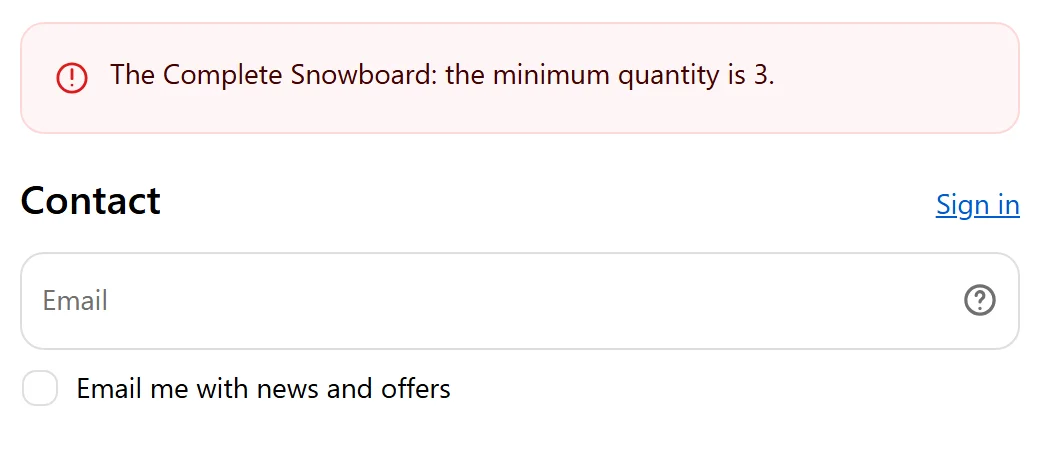
Orders outside your limits can’t be completed, and shoppers see exactly what to change.
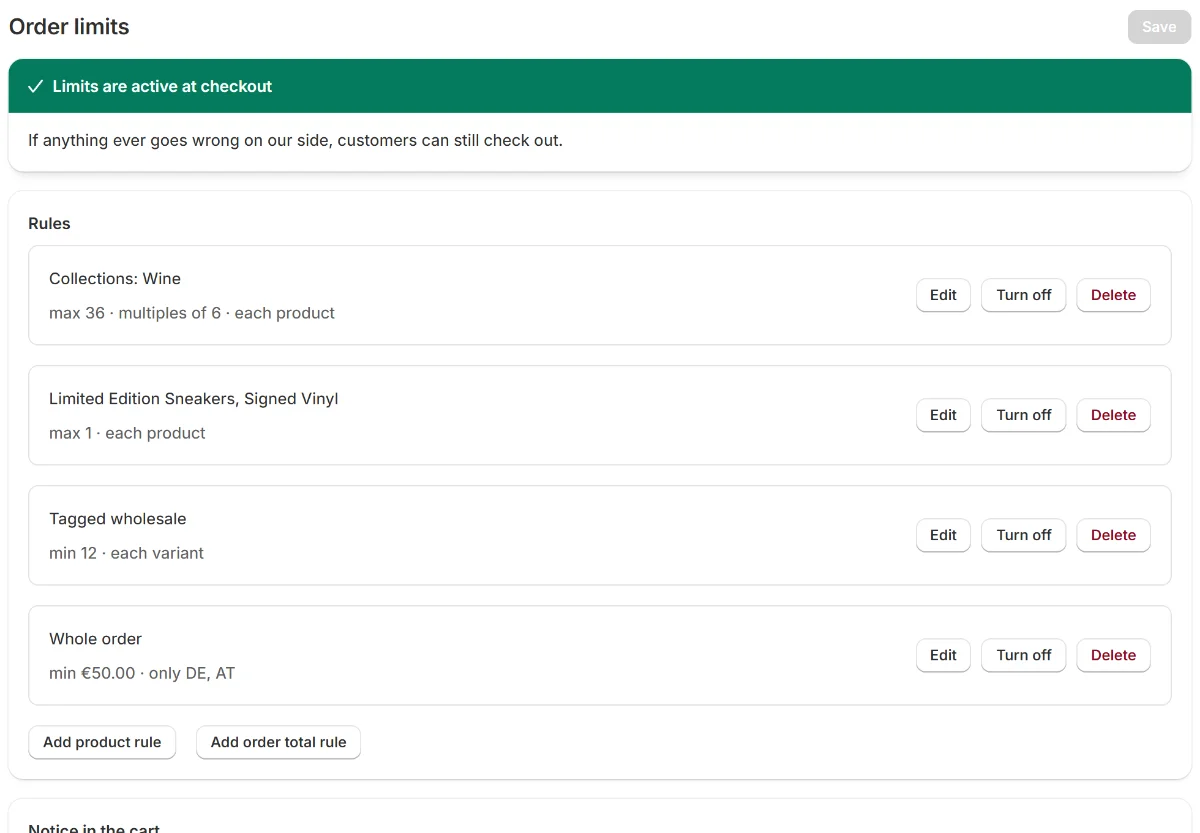
Rules
Minimums, maximums and pack sizes per product, variant, collection or tag, plus order totals. A green banner shows when limits are active at checkout.
Cart notice
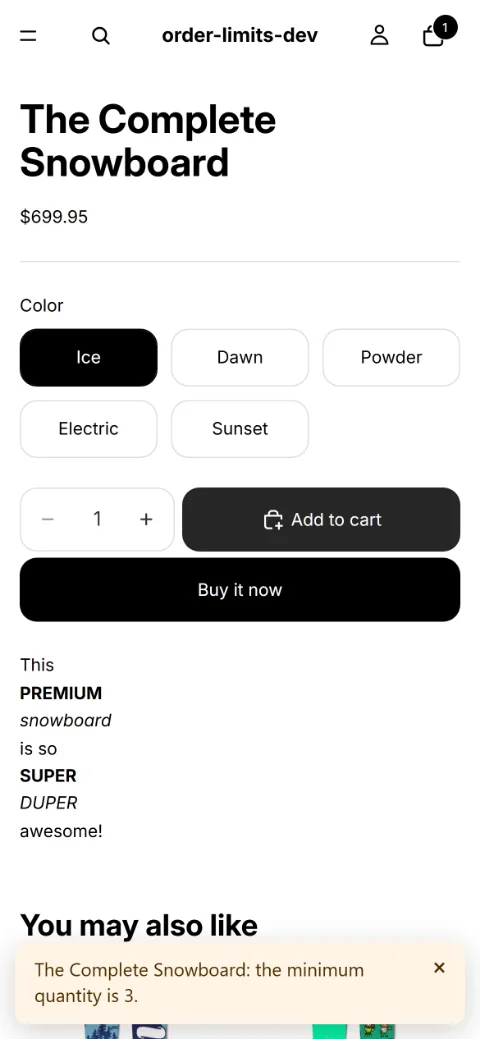
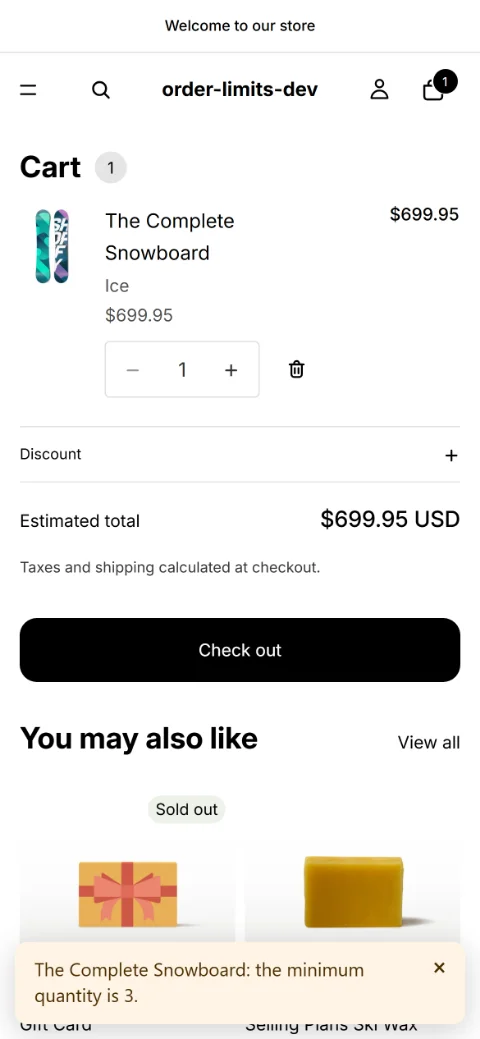
An optional notice right after “Add to cart” and on the cart page, with the same message checkout shows. It’s a theme app embed, so there’s no code to edit.
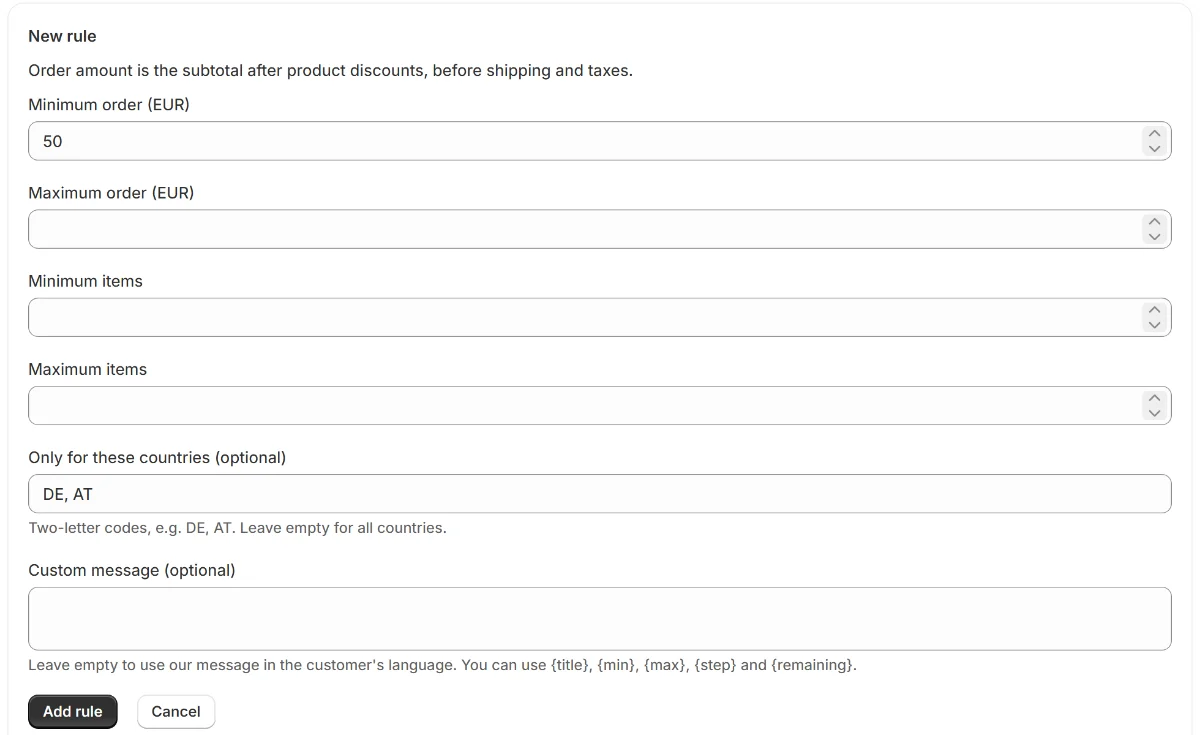
Order totals
A minimum or maximum order total or item count, for everyone or only for the countries you choose. Amounts are converted to each customer’s currency.
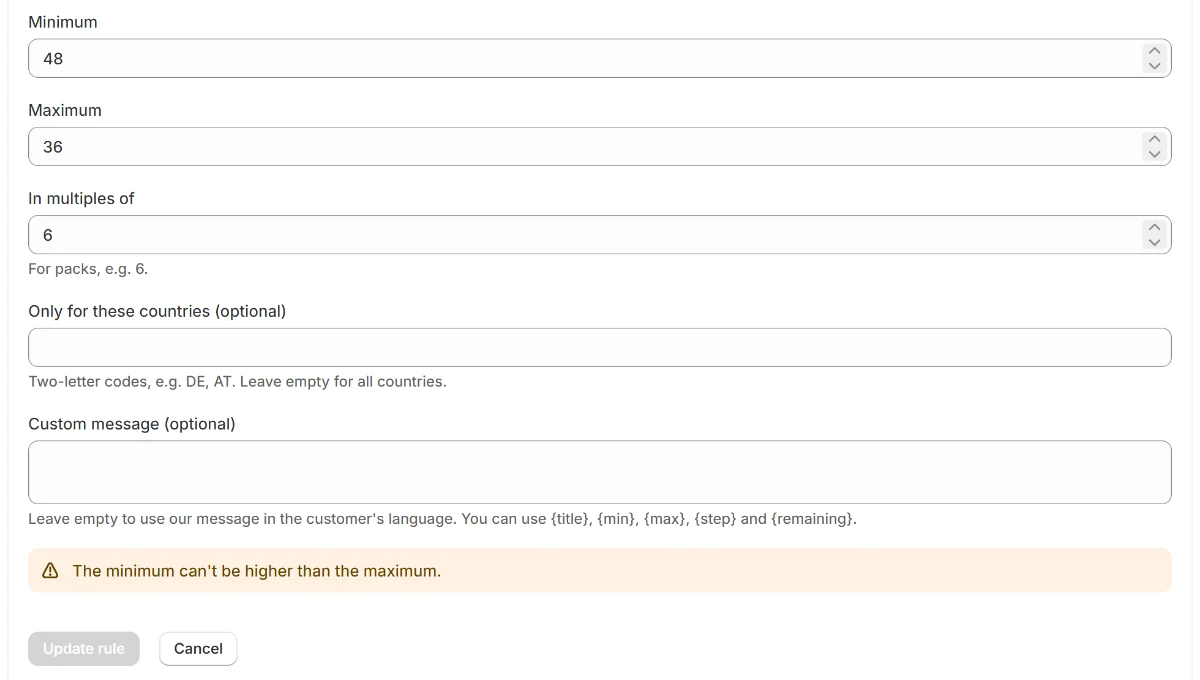
Safety
A rule that contradicts itself, like a minimum above the maximum, can’t be saved. And if the app ever has an error, Shopify still lets customers check out.
Also included
Quantities in multiples of 6, 12 or any number you set.
Checkout messages in your customer’s language, or in your own words.
Order totals are converted to each customer’s currency automatically.
Limits are checked in Shopify’s checkout. The cart notice is a theme app embed you switch on.
Reads products and manages only its own checkout rule. No customer or order data.
Your limits are saved in your own Shopify store, not on our servers.
Pricing
$0 / month
14-day free trial
$7.99 / month
Prices in US dollars. Charges appear on your Shopify bill.
Questions first? Read the FAQ or email xssmusashi@gmail.com. We usually reply within one business day.